How to Translate a PDF Free, Including Scanned PDFs
To translate a PDF for free, including a scanned one, upload it to the PDF Translator. It reads the real text layer when the PDF has one and falls back to OCR when the page is just an image, which is the case most free tools quietly fail on. The translation comes back as a Word file or plain text.
PDFs are where translation gets messy. You cannot edit them in place. Copying text out of them gives you broken line endings and page numbers stuck mid-sentence. And if the PDF is a scan, a photo of paper pretending to be a document, there is nothing to copy at all. You drag the cursor across the page and nothing highlights, because to the computer that page is one big picture.
That last case is the one most free tools silently fail on. They accept your file, find no text, and hand you back an empty result or an error. So let us deal with both kinds properly.
The two kinds of PDF
Every PDF you meet is one of two things, and it decides everything about how translation works:
Text PDFs were exported from software: Word, Google Docs, an invoicing system, a browser’s print dialog. The text is really in the file, and a good tool can read it directly, fast and accurately.
Scanned PDFs came from a scanner or a phone camera. A contract someone signed and scanned, an old manual, a government form. Each page is an image, and the only way to get the words out is OCR, optical character recognition, which reads the picture the way your eyes do.
Plenty of documents are both at once: a text PDF with one scanned page dropped into the middle, like a signed signature page in a contract. A tool that only handles one kind will quietly skip the other, and you will not notice what is missing until it matters.
Translating the PDF
The PDF Translator handles both kinds in one pass. Pages with a real text layer are read directly, and pages without one go through OCR automatically. You do not have to know which kind your file is.
- Open the PDF Translator.
- Drop your PDF in, or click to browse for it.
- Pick the language you want under To (leave From on Auto-detect if you are not sure).
- Click Translate PDF, then read the preview and download the result.

Once the file loads you see it listed with its size, the optional glossary, and the translate button.

When it finishes, the result tells you exactly what happened. You get the paragraph count, and if any pages were scans, a badge showing how many were read with OCR, so nothing gets skipped silently. The translated text is right there on the page to check, and you can download it as a clean Word document or a plain .txt.
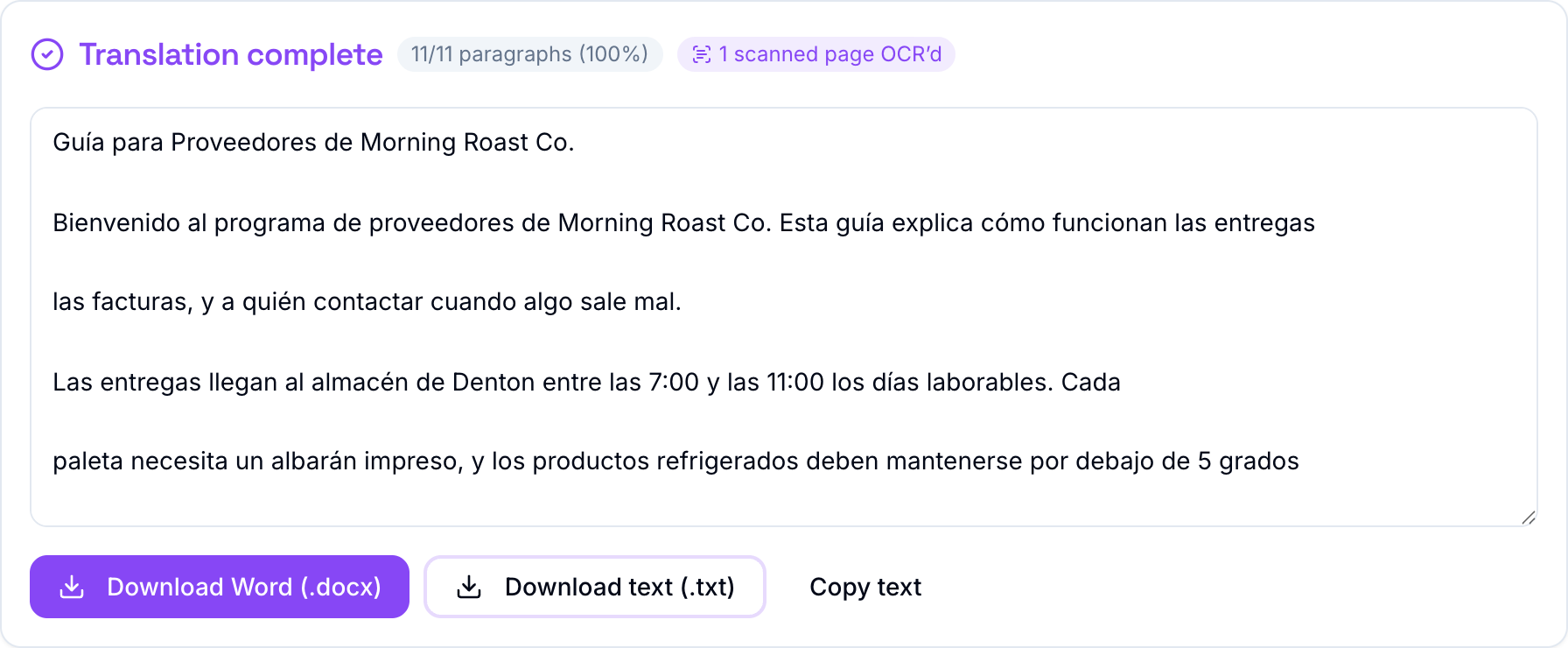
This sample was a two-page supplier guide where the second page was an image with no text layer at all. The badge shows the tool caught it, read it, and translated it along with everything else.
What you get back, honestly
One thing this tool does not pretend to do: rebuild your PDF’s exact visual layout. A PDF nails every letter to a fixed position on the page, so “the same PDF but in Spanish” is not something any translator can promise reliably, and the ones that claim to usually hand back a broken page.
Instead you get the translated text as a clean, readable Word document and plain text. For most jobs, reading a contract, understanding a manual, forwarding a letter, that is exactly what you need.
If you do need the formatting preserved, there is a better path: open the PDF in Word or Google Docs, save it as .docx, and run that through the Word Document Translator. That tool keeps every font, table, and heading exactly in place, and we walked through it in how to translate a Word document.
Tips for the best result
- Upload the clearest scan you have. OCR reads pixels, so a straight, high-resolution scan beats a tilted phone photo every time.
- Pin names with the glossary. Company names, product names, and people’s names stay consistent instead of being translated on some pages and not others.
- Pick the specific language variant you need. Latin American and European Spanish are separate options, and so are the two Portuguese variants.
- Check the badge. If the OCR badge shows fewer scanned pages than you expected, some pages may be a text layer already, which is good news, not a problem.
Files up to 20 MB work, which covers most contracts, guides, and reports. Like every tool on the site, it is free with no signup. The rest of the toolkit, including the Excel and Word translators that do keep formatting exact, is on the TranslationForFree home page.