How to Translate an HTML Email Template
To translate an HTML email template, upload the file to the HTML Translator. It changes only the visible copy and leaves the nested tables, inline styles, and button markup untouched, so the email still renders correctly in Gmail, Outlook, and Apple Mail.
Email HTML is its own special kind of fragile. It is built out of nested tables, inline styles on nearly every element, and buttons that are really just carefully styled links, all so it renders the same in Gmail, Outlook, and Apple Mail. Translating that by hand is slow and risky. Paste it into a plain translator and it is worse: the tables collapse, the inline styles get scrambled, and your brand name comes back translated into something you never wanted.
If you are localizing a campaign, a welcome sequence, or a transactional template like an order confirmation, you need the words in the new language and the structure exactly as it was. Here is how to do that in a couple of minutes, for free.
Why email templates are easy to break
A web page can be a little forgiving. An email template is not. Its layout depends on <table> tags and inline style attributes, because that is the only styling most email clients reliably support. Every one of those is something a careless translator can damage.
The two things that go wrong most often:
- The structure gets mangled. A translator that does not understand HTML will translate table attributes, rewrite inline styles, or drop tags, and the email that looked perfect in your editor arrives looking broken.
- Your brand name gets translated. Product names, company names, and CTA labels are just words to a translator, so “BrightBox” might come back as a literal translation in one language and stay put in another. Across a whole sequence, that inconsistency looks sloppy.
You want a tool that translates only the copy your subscriber reads, leaves the table structure and inline styles alone, and lets you lock specific terms so they never change.
Translating the template
The HTML Translator handles email HTML the same careful way it handles a web page: it reads the file, translates the readable text, and rebuilds the template with every table, style, and button back in place. Upload happens over a secure connection, the work is done server-side, and the preview renders in a sandbox with scripts disabled, so nothing in the file can run.

Save your email template as an .html file first. Most email tools have an export or “view HTML” option, and any code editor can save the source. Then:
- Open the HTML Translator and upload the template.
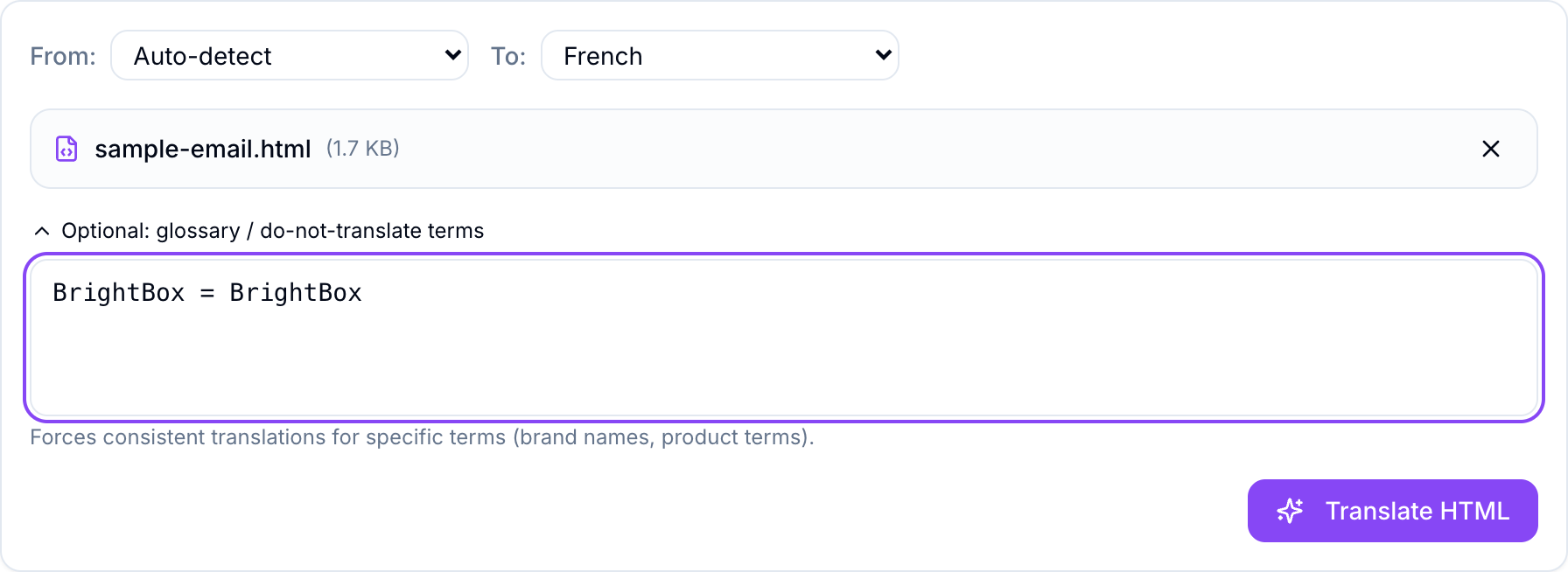
- Set To to your target language. Here we are going from English to French.
- Open Optional: glossary / do-not-translate terms and pin anything that must stay fixed, one per line.
- Click Translate HTML and download the localized template.
The glossary is the step that makes this reliable for email. Add your brand name as BrightBox = BrightBox and it stays exactly that in every subject line, heading, and footer. You can pin product names, plan names, or a tagline the same way, so a whole localized sequence stays consistent.
Translate, and you get the original and the French version side by side, each rendered as a real email so you can check the layout before you download. The header bar, the button, the body copy, and the footer are all in the same place. Only the words changed, and “BrightBox” stayed put because the glossary told it to.
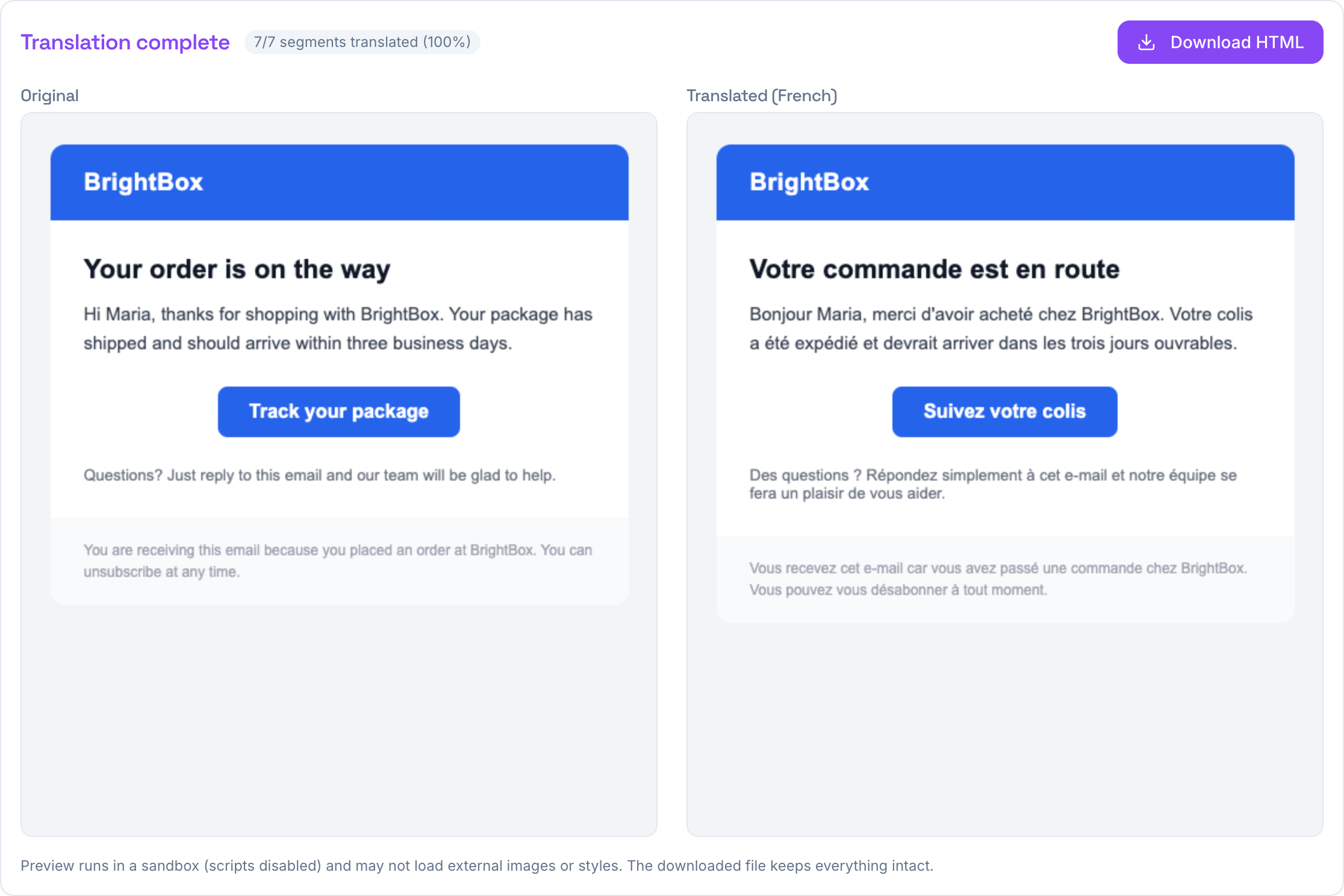
The button is still a button, styled exactly as before, now reading “Suivez votre colis.” The greeting, the shipping line, and the unsubscribe footer all came across naturally, and the table structure that holds it together never moved.
A few things worth knowing
- What gets translated: the visible copy, plus the parts subscribers and inboxes still see, like the
<title>, preview text, imagealttext, and link labels. Everything a reader reads is covered. - What stays untouched: every table,
<td>, inline style, class,<script>, and<style>block, along with your tracking URLs,mailto:links, and merge fields like{{first_name}}if they are written as plain text. Your links and personalization keep working. - Preview versus download: the side-by-side preview disables scripts and may not load images hosted elsewhere, but the file you download keeps every reference intact, so it renders fully when you import it back into your email tool and send a test.
Always send yourself a test after importing the translated template, the same as you would with any email change. The structure will be intact, but a real inbox is the last check worth doing.
If the thing you are translating is a regular web page rather than an email, the steps are the same and we covered them in how to translate an HTML file without breaking the layout. And if you just need a block of copy translated rather than a whole file, the Text Translator is one click away.
For localizing an email template, though, this is the whole job: export the HTML, upload it, pin your brand terms, download. Free, no signup, and the rest of the tools are on the TranslationForFree home page.