How to Translate Text Online for Free (No Signup)
To translate text online for free with no signup, paste it into the Text Translator, pick a language, and read the result. It covers 50+ languages and up to 5,000 characters at a time, with no account and nothing to install.
Most of the time you just want to paste some text, pick a language, and get the translation. No account, no install, no watching an ad first. Whether it is an email, a message, a paragraph from a document, or a phrase you need to get right, the job is simple and the tool should be too.
Here is how to do it for free, and what to do when the text is longer than a paragraph.
Translating a block of text
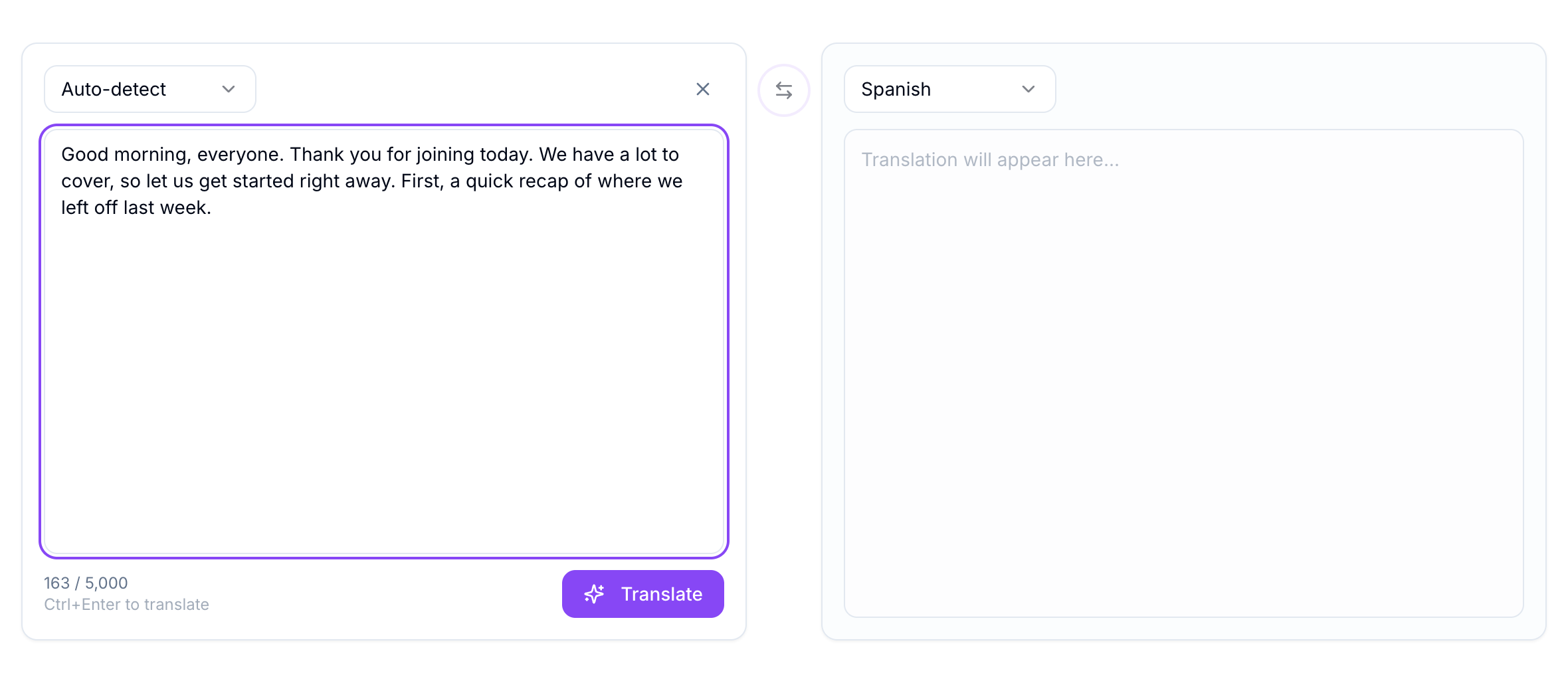
The Text Translator is a side-by-side translator: your text on the left, the translation on the right. It covers more than 50 languages and needs no signup. The translation itself is done by AI on the server, so the quality holds up well on full sentences and natural phrasing, not just single words.
- Open the Text Translator.
- Paste or type your text on the left.
- Choose the language you want on the right. Leave the left on auto-detect and it works out the source language for you.
- Press translate, then copy the result.
Press translate and the result appears on the right, ready to copy or download. You can leave the source set to auto-detect, which is handy when you are not totally sure what language the text is in to begin with.
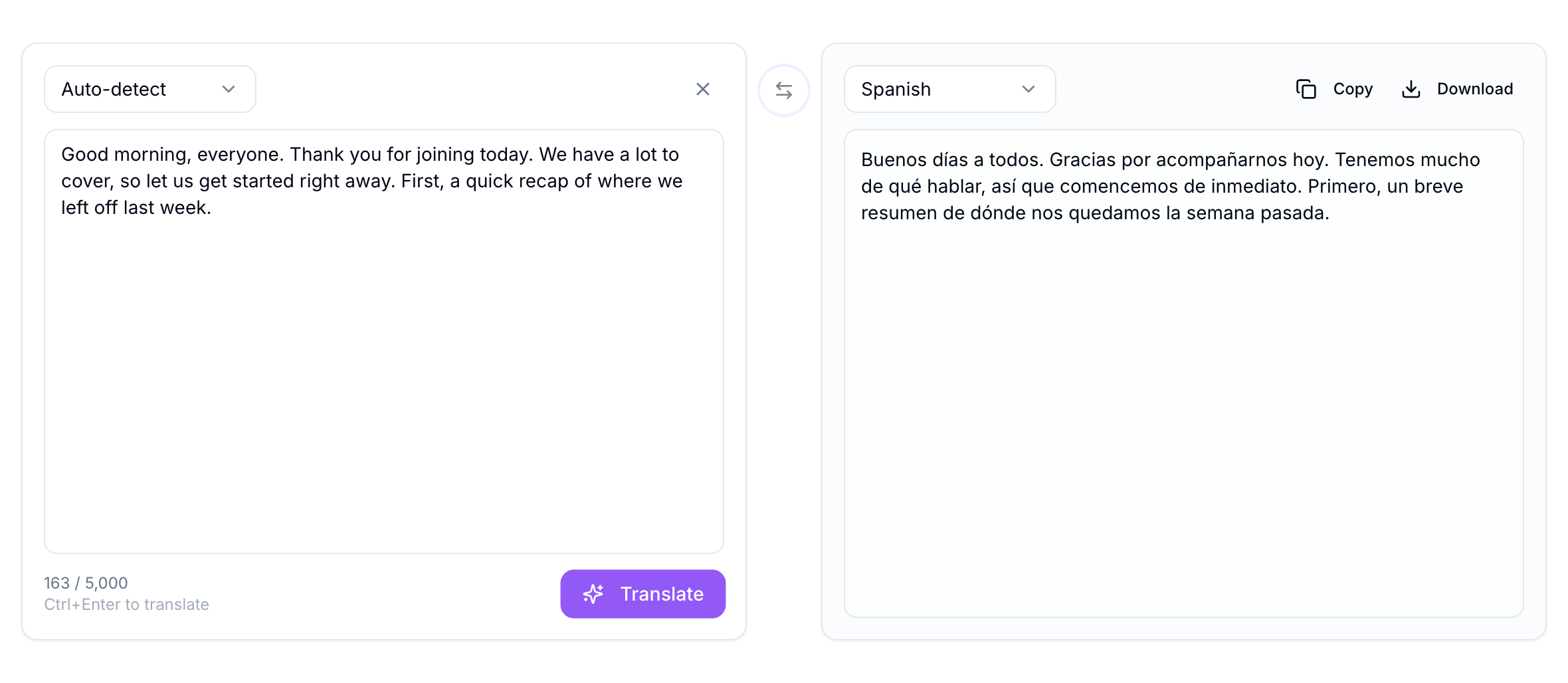
If you want to flip the direction, the swap button between the two panels switches the languages and the text in one click, so you can translate a reply straight back.
Handling longer text
The translator takes up to 5,000 characters at a time, which is roughly 800 to 1,000 words, or a page or two of normal writing. That covers the large majority of everyday translation.
If your text is longer than that, split it into sections and translate them one after another. Paragraph breaks are natural places to cut. Translating in sections actually has an upside, because it keeps each request focused, and it is easy to check each part as you go rather than scanning one giant block at the end.
If you are not sure what language your text is in before you start, run it through the Language Detector first, then bring it back here to translate.
A word on accuracy
AI translation is genuinely good now, and for understanding a message, writing a reply, or getting the gist of a document, it is more than enough. For anything high-stakes, a legal contract, medical instructions, or published marketing copy, treat the output as a strong first draft and have a fluent speaker review it. That is true of any machine translator, not just this one.
If you want to compare how a passage reads in two different target languages, or sanity-check a translation, the Translation Comparison tool puts two results side by side. And if you need subtitles rather than plain text translated, the Subtitle Translator keeps the timecodes intact while it works.
For everyday text, though, this is the quick path. Paste, pick a language, translate. The rest of the free tools are on the TranslationForFree home page.